How to Track Whether AI Search Is Sending You Traffic
By Joe Della Mora, Founder, GroundScore
Once you start optimizing for AI search, the obvious next question is whether it is working, and the honest answer requires measurement, not hope. Learning to track AI referral traffic tells you whether ChatGPT, Perplexity, and other engines are actually sending visitors, or whether your citations are earning attention that never turns into a click. This guide is a hands-on setup, not a theory piece. Prerequisites: access to your site analytics, the ability to edit a few links, and roughly an afternoon to configure things, plus a few minutes each week afterward to read the trend. The difficulty is low; the tedium is moderate, mostly because AI referral traffic hides in places default analytics does not highlight. Building GroundScore, the pattern we keep seeing is owners who assume they get zero AI traffic simply because they never set up the tracking to see it. Here are six steps to fix that.
Step 1: Learn what AI referral traffic looks like
Direct answer: AI referral traffic is a visit that arrives when someone clicks a link inside an AI engine's answer. It shows up in analytics as a referral from hosts like chatgpt.com, perplexity.ai, gemini.google.com, or claude.ai. Recognizing those referrer domains is the foundation everything else in this guide builds on.
Before you can measure something, you have to know what it looks like in your data. When an AI engine cites your site and a reader clicks through, their browser usually passes a referrer, the address of the page they came from. For AI engines, that referrer is the engine's own domain.
The common ones to watch for are the hosts the major engines serve answers from. These change and expand as products evolve, so treat any list as a starting point rather than a fixed set.
| Engine | Typical referrer host |
|---|---|
| ChatGPT | chatgpt.com |
| Perplexity | perplexity.ai |
| Google (AI answers) | gemini.google.com |
| Claude | claude.ai |
Two complications make this harder than it sounds. First, not every AI visit passes a clean referrer; some arrive looking like direct traffic, which Step 5 addresses. Second, the value of an AI referral is not just the click, it is that the reader arrived pre-informed by an answer that already vouched for you. Keep that in mind as you read the numbers: AI referrals are often smaller in volume than search but warmer in intent.
Step 2: Find AI referrers in your analytics
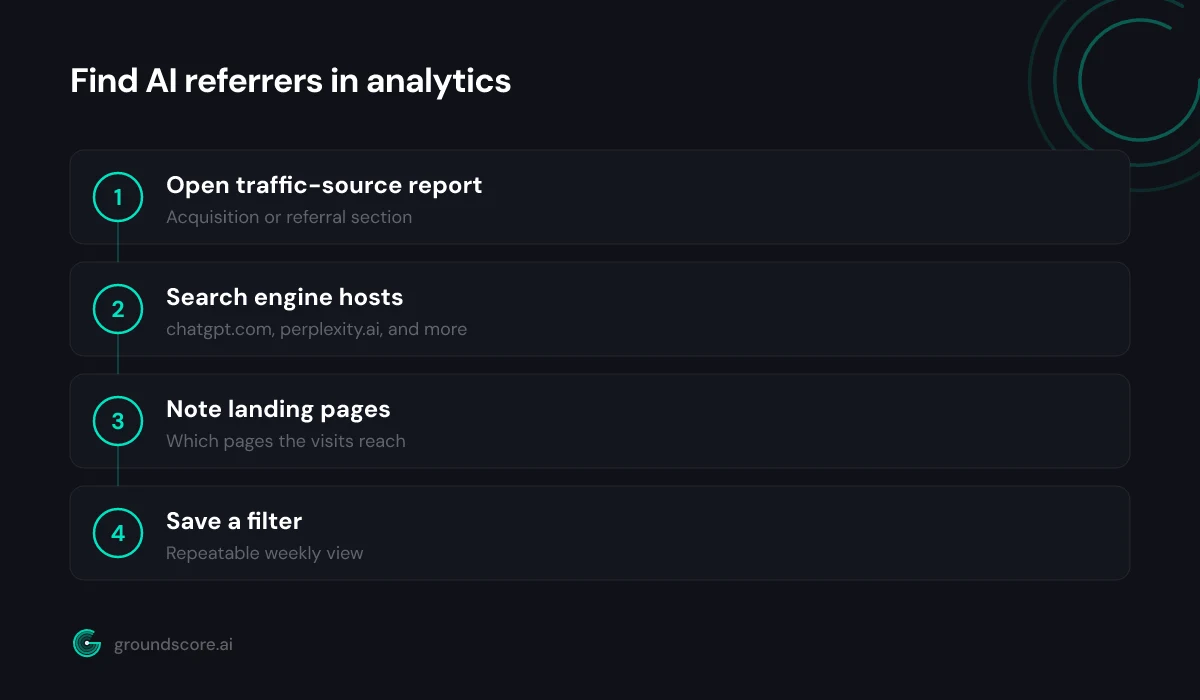
Direct answer: Open your analytics tool, go to the traffic-source or referral report, and filter for the AI engine hosts from Step 1. Most tools bucket these under referral or "unassigned" rather than a dedicated AI channel, so you search for the domains by hand instead of expecting a ready-made report.
Whatever analytics you run, the path is similar: find the report that lists where visitors came from, then look for the AI hosts. In most tools this lives under acquisition, traffic sources, or referrals. The AI engine domains rarely get their own labeled channel yet, so they sit inside referral traffic or an "unassigned" bucket, which is why casual glances miss them.
Search the referral list for each host: chatgpt.com, perplexity.ai, and the others. If you find sessions, you have confirmed AI referral traffic exists, and you can see roughly how much and which pages it lands on. If you find nothing, do not conclude you get zero AI traffic yet, it may be arriving without a referrer, which the later steps catch.
Set up a saved segment or filter for these hosts if your tool allows it, so you do not repeat the manual search every week. The goal of this step is a repeatable view: a report you can open and immediately see AI referral sessions, their landing pages, and their trend over time. That repeatability is what turns a one-time curiosity into ongoing measurement.
Step 3: Tag the links you can control
Direct answer: For any place you can add your own link, your llms.txt file, structured data, or profiles engines read, append UTM tags so those clicks arrive clearly labeled. Tagged links let you separate deliberately-placed AI-facing links from citations engines generate on their own, sharpening what your analytics can attribute.
You do not control the links inside an engine's generated answer, but you do control several links that AI systems read and sometimes surface. Adding UTM parameters, small tags appended to a URL, makes clicks on those links unmistakable in analytics.
Where this helps: links in an llms.txt file, canonical URLs you expose in structured data, and links on profiles or listings that engines ingest. Tag them with a consistent scheme, for example a source and medium that mark them as AI-facing, so every click routes into a clearly labeled bucket.
A few discipline points. Keep the tagging scheme consistent, one naming convention, documented, so six months of data stays comparable. Do not over-tag internal or navigational links, which pollutes reports. And remember tagging only covers links you place; the citations engines generate spontaneously still arrive as plain referrals, which is exactly why the next step exists.
Step 4: Add first-party tracking for what analytics misses
Direct answer: First-party tracking is a small piece of code on your own site that records AI-referred visits directly, catching arrivals that default analytics buckets as direct or unassigned. Because it runs on your domain rather than depending on third-party tools, it captures the referral signal more completely and keeps the data yours.
Default analytics leaks AI traffic in two ways: some visits carry no referrer, and some tools misfile the ones that do. First-party tracking closes that gap by recording the referral signal yourself, at the moment a visitor lands, on infrastructure you own.
The mechanism is a lightweight beacon: a snippet that reads the incoming referrer and logs AI-sourced visits to your own store, without depending on a third-party analytics vendor to categorize them correctly. Because it is first-party, it is more resilient to the privacy and referrer quirks that make AI traffic slippery in conventional tools.
This is the approach GroundScore's first-party AI-referral tracking takes, a connection snippet that counts AI-referred visits directly and surfaces them alongside your visibility score, so measurement of whether you are cited and whether those citations drive traffic live in one place. Whether you build your own beacon or use a tool, the principle is the same: catch the signal on your side rather than trusting a general-purpose report to label it for you. For the broader tradeoff between doing this by hand and automating it, see manual AI spot checks versus automated monitoring.
Step 5: Separate AI referrals from direct traffic
Direct answer: Some AI visits arrive with no referrer and land in your direct-traffic bucket, inflating direct and hiding AI. Separate them by watching for telltale patterns, sudden direct visits to deep, specific pages that match questions you are cited for, and by cross-checking against your first-party tracking from Step 4.
Direct traffic is supposed to mean someone typed your URL or used a bookmark. In practice it has become a catch-all for any visit whose source got stripped, and AI referrals frequently land there when the engine passes no referrer. That means your real AI traffic can be sitting inside a bucket labeled "direct," uncounted.
You cannot recover a referrer that was never sent, but you can spot the pattern. Direct traffic to your home page is normal; a burst of direct visits to a deep, specific page that happens to answer a question you know you are cited for is suspicious in a useful way. Those are likely AI referrals in disguise.
The reliable fix is corroboration. Cross-check suspicious direct traffic against the first-party tracking from Step 4 and against your citation monitoring, are you cited for the questions those landing pages answer? When the pages, the timing, and your known citations line up, you can attribute confidently. This is the same reason presence tracking and referral tracking work better together than either alone, a point we make in rank tracking versus AI citation tracking.
Step 6: Read the trend, not the day
Direct answer: AI referral volume is noisy day to day because engine answers vary and citations come and go. Judge the trend over weeks, not any single day's number. Compare month over month, watch whether AI-referred sessions and their landing pages grow as you optimize, and treat direction as the real signal.
The final habit is interpretive, and it is where most people go wrong. AI referral traffic is jumpy. Engines phrase answers differently run to run, citations appear and disappear, and volumes for any one day tell you little. Reacting to a single day's dip or spike leads to bad decisions.
Zoom out instead. Look at AI-referred sessions week over week and month over month. Is the trend rising as you optimize pages? Are new landing pages showing up in the AI-referral report, meaning more of your pages are earning cited clicks? Direction and breadth matter more than any single figure.
Tie the trend back to your work. When you optimize a page in one month and AI referrals to it climb over the following weeks, that is the feedback loop working. Weekly monitoring on a paid plan automates this cadence, but the discipline is the same whether automated or manual: measure regularly, compare over time, and let the trend, not the noise, guide what you do next.
Frequently asked questions
How does AI referral traffic show up in Google Analytics?
It usually appears as referral traffic from hosts like chatgpt.com or perplexity.ai, not as a dedicated AI channel. Most analytics tools bucket these under referral or unassigned, so you search for the engine domains by hand. Some AI visits arrive with no referrer and land in direct traffic, which requires extra work to identify.
Why does some AI traffic look like direct traffic?
Direct traffic is a catch-all for visits whose source got stripped, and AI engines sometimes pass no referrer. When that happens, a real AI-referred visit lands in your direct bucket, uncounted. You spot it by watching for direct visits to deep, specific pages that match questions you are cited for, then corroborating with first-party tracking.
Do I need special tools to track AI referrals?
Not to start. Your existing analytics can surface AI referrals if you filter for the engine hosts, and UTM tags help with links you control. Tools add value by catching referrer-less visits through first-party tracking and by automating the weekly trend reading, but a manual setup in your current analytics is a legitimate starting point.
What is first-party AI-referral tracking?
It is a small piece of code on your own site that records AI-referred visits directly, rather than relying on a third-party analytics tool to categorize them. Because it runs on your domain and reads the incoming referrer at the moment of arrival, it captures AI traffic that default reports miss and keeps the data under your control.
How often should I check AI referral traffic?
Weekly is a sensible cadence for a quick look, with a deeper monthly review of the trend. AI referral volume is noisy day to day, so checking constantly invites overreaction to normal variation. The goal is to judge direction over weeks and tie rising referrals back to the pages you have optimized.
Can I trust the AI referral numbers I see?
Trust the trend more than any single figure. Referrer-less visits mean your reported AI traffic is likely an undercount, and daily variation is high. Cross-check analytics against first-party tracking and your citation monitoring, and judge whether AI-referred sessions grow over weeks as you optimize. Direction is reliable; any one day's number is not.
The bottom line
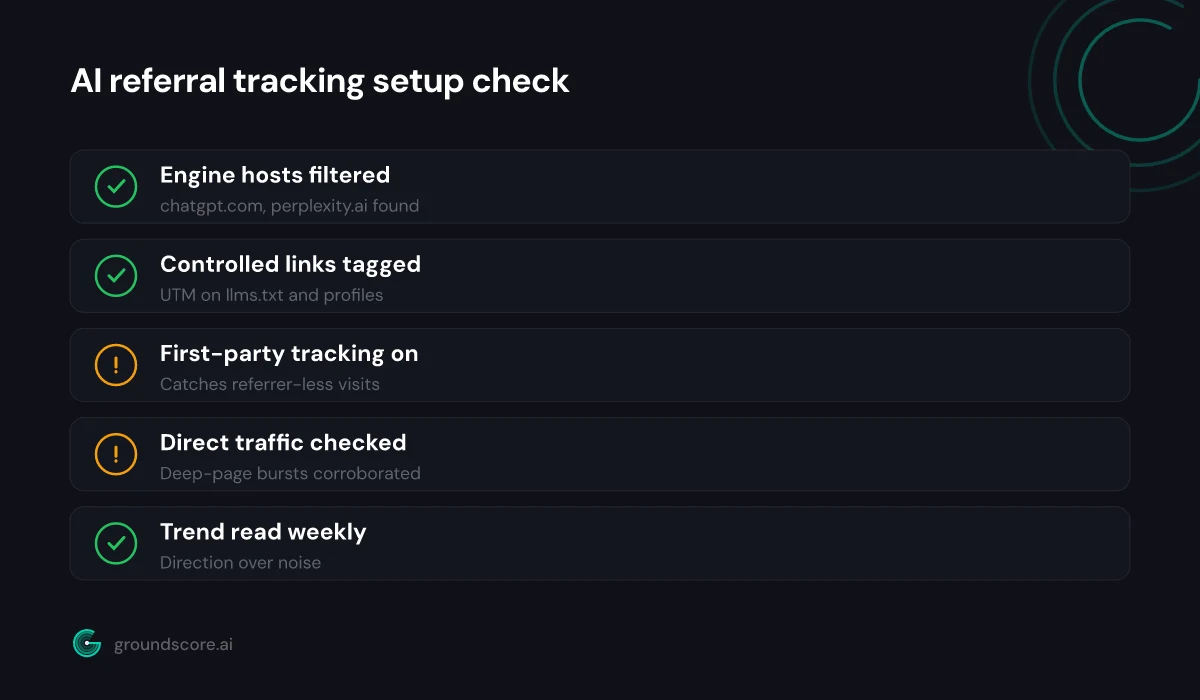
AI search is only worth optimizing if you can see the result, and seeing it takes deliberate setup. Learn what AI referrers look like, find them in your analytics, tag the links you control, add first-party tracking for what default reports miss, separate disguised referrals from direct traffic, and judge the trend over weeks. Most owners who think they get no AI traffic simply never built the tracking to see it.
Want measurement of your citations and your AI referrals in one place? Run a free AI visibility check to get your score and see where your AI traffic is coming from.
How visible is your site in AI search?
Check your AI visibility score in seconds. Free, no account needed.
Check your score