6 Robots.txt Mistakes That Quietly Block AI Crawlers
By Joe Della Mora, Founder, GroundScore
Your robots.txt AI crawlers problem is almost never dramatic. Nobody wakes up to an alert; the file just sits there, quietly telling GPTBot, ClaudeBot, and PerplexityBot to go away, while you wonder why your site never shows up in AI answers. When we run free checks at GroundScore, access problems are among the most common blockers I see, and the owner is almost never aware of them, because most of these rules were written years ago for reasons nobody remembers. This post covers the six specific mistakes behind most of those blocks, in rough order of how often they appear, with the fix for each. What it will not do is rehash robots.txt syntax basics; the assumption is you can open the file and read it. Here are the six, from most common to most subtle.
Mistake 1: A blanket disallow under the wildcard group
Direct answer: A blanket Disallow rule under the wildcard user-agent group blocks every crawler that lacks its own named section, which includes GPTBot, ClaudeBot, and PerplexityBot. Teams add it during development to keep a staging site out of search, launch, and forget it. Check this group first; it is the most common silent blocker.
The mechanics matter here. A crawler reading robots.txt looks for a group naming it specifically; only if none exists does it fall back to the wildcard group, User-agent: *. So this file blocks every AI crawler on earth:
User-agent: *
Disallow: /
The insidious version is subtler: a site that carefully allows Googlebot in its own group while the wildcard group disallows everything. Google keeps crawling, rankings hold, every dashboard looks healthy, and every AI crawler without a named group bounces off the wildcard rule. The site is simultaneously well-optimized and invisible, and nothing in Google Search Console will ever say so.
The fix is to decide deliberately. If you want AI crawlers in, either loosen the wildcard group or add explicit groups for the AI agents you welcome. And if the blanket rule turns out to be a staging-era leftover, delete it entirely rather than patching around it; a rule nobody can explain is a rule that will bite again.
Mistake 2: Copying a block-everything template
Direct answer: Robots.txt templates copied from forums or theme documentation often ship with aggressive disallow lists written for a different site's problems. Pasted wholesale, they block directories, query strings, or bots you actually want. Read every line of a borrowed file and delete anything you cannot explain.
Search for "best robots.txt for WordPress" and you will find decade-old templates with dozens of rules: disallow this plugin directory, block that parameter pattern, ban a list of bots someone once found annoying. Each rule made sense for the author's site, at the time. Pasted into yours, they are cargo cult configuration.
The AI-specific danger is that many circulating templates now include AI-crawler block lists, often framed as protecting your content, and copied by owners who never connected that choice to the question of appearing in AI answers. A template that ships User-agent: GPTBot followed by Disallow: / is making a strategic decision about your business, and it was made by a stranger.
The audit is straightforward: open your robots.txt and go line by line. For every rule, either say out loud what it protects and why, or delete it. Anything referencing directories your site does not have is template residue. Any named bot you have never heard of deserves thirty seconds of research before you keep inheriting someone else's grudge. A robots.txt you cannot fully explain is not a config file; it is an heirloom, and heirlooms do not belong in the crawl path.
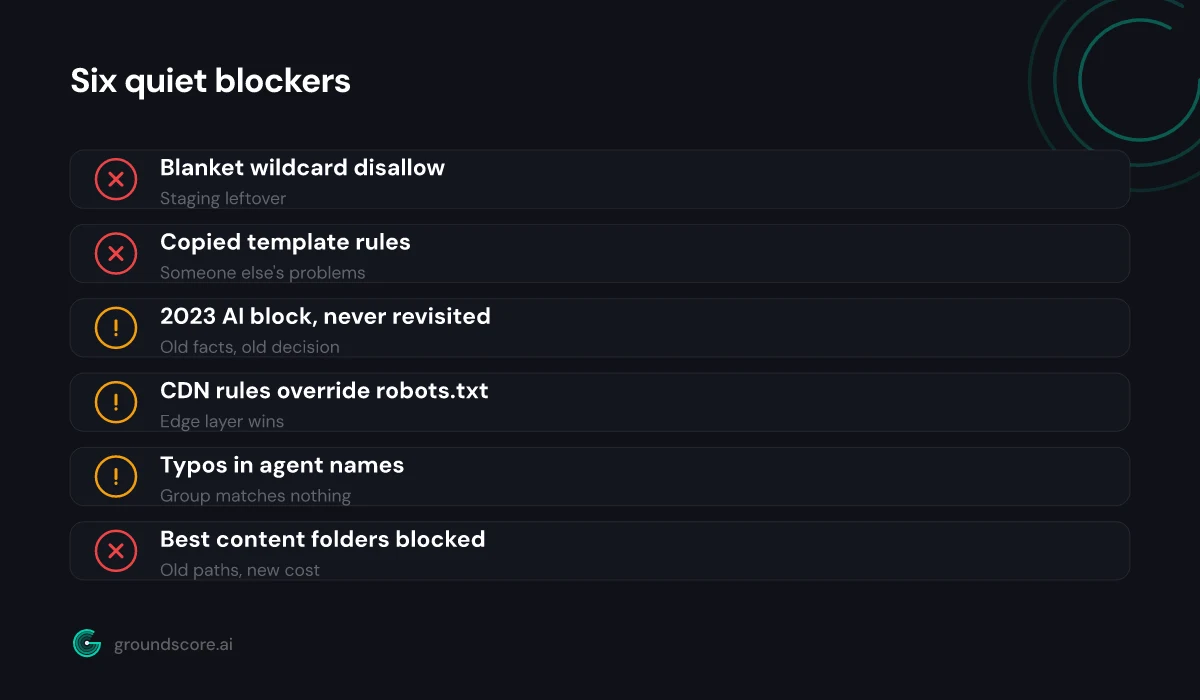
Mistake 3: An AI block from 2023 nobody has revisited
Direct answer: Many sites blocked AI crawlers in 2023 to opt out of model training and never revisited the decision. The calculus has changed: blocks that once only affected training data now also cover the fetchers that AI search engines use to cite sources. If your block predates AI search, re-decide it.
When GPTBot appeared, blocking it was a reasonable, popular stance: the only thing on offer was contributing your content to model training, with nothing visible in return. Plenty of sites added the block, published a post about it, and moved on.
What changed is what those crawlers feed. AI engines now cite, link, and recommend sources in answers that real buyers read, and the crawler families that power that discovery are often covered by the same old blocks, especially the blanket "every AI agent" versions. The trade is no longer "give training data, get nothing"; it is "stay blocked, stay out of the answers."
This is not an argument that every site should unblock everything. Publishers with licensing concerns have real reasons to keep training crawlers out. The mistake is not the block; it is that the decision was made once, under old facts, and never re-made. The operators now document which agents do what, OpenAI's bot documentation being the clearest example, so you can block training crawlers while allowing search and user-fetch agents if that matches your intent. Dig up your 2023 decision, restate what you actually want in 2026, and rewrite the rules to say that.
Mistake 4: WAF or CDN bot rules overriding robots.txt
Direct answer: Your robots.txt can allow a crawler that your CDN or firewall blocks anyway. Bot-protection rules at the edge challenge or drop AI user agents before a request ever reaches your site, and robots.txt has no say in it. If an allowed bot never appears in your logs, check the edge layer.
Robots.txt is a request, evaluated by the crawler. Edge rules are enforcement, evaluated before your server ever sees the request. When the two disagree, the edge wins, and this mistake is climbing the list fast because bot protection is increasingly on by default.
CDN and security products ship managed rules that score and filter automated traffic, and AI crawlers are exactly the kind of high-volume, datacenter-originated traffic those rules exist to stop. Some products now offer explicit toggles for blocking AI crawlers as a category. Turn on aggressive bot protection, and your beautifully permissive robots.txt becomes a welcome mat behind a locked door: the crawler is invited, then served a challenge page it cannot solve, or a 403.
The diagnostic signature is an allowed bot that never shows up. Your robots.txt permits GPTBot, but your origin logs show no GPTBot hits, or your CDN analytics show requests blocked at the edge that never reached origin. The fix lives in your CDN or WAF dashboard, not in robots.txt: review the bot-management rules, find which category catches the AI agents you want, and add allowances for them. Then verify with logs, because this layer changes when vendors update their managed rules, not when you edit a file.
Mistake 5: Case errors and typos in agent names
Direct answer: Robots.txt user-agent matching depends on getting the name right, and AI agent names are easy to fumble: GPTBot is not GPT-Bot, ClaudeBot is not Claude-Bot, and Google-Extended is a control token rather than a crawler. A misspelled group silently matches nothing, so your intended rule never applies.
A robots.txt group with a wrong name does not error; it just never matches, and the crawler you meant to address falls through to the wildcard group instead. Whatever you intended, allow or block, quietly fails while the file looks perfectly deliberate. Parsers are generally forgiving about letter case, but nothing is forgiving about typos, stray hyphens, or guessed names.
The current names worth writing down:
| Agent | Operator | What it does |
|---|---|---|
| GPTBot | OpenAI | Crawls for model training |
| OAI-SearchBot | OpenAI | Indexes for ChatGPT search |
| ChatGPT-User | OpenAI | Fetches when a user asks |
| ClaudeBot | Anthropic | Crawls for Claude |
| Claude-User | Anthropic | Fetches on user request |
| PerplexityBot | Perplexity | Indexes for Perplexity answers |
| Google-Extended | Robots token controlling AI use |
Google-Extended deserves its own warning: it is a token you reference in robots.txt to control how Google uses your content for AI, not a crawler that visits your site, so do not wait for it in your logs. And note that one company can run several agents with different jobs; the full breakdown is in our guide to the AI crawlers. Copy names from operator documentation, never from memory or forum posts.
Mistake 6: Disallowing the folders your best content lives in
Direct answer: Path rules written years ago can quietly cover the content AI engines would cite today. A disallow on /resources or /blog from an old site structure, or an overbroad pattern like a query-string block, keeps crawlers away from exactly the pages that answer buyer questions. Audit paths against your best pages.
The first five mistakes are about who may crawl. The last one is about what they may reach, and it is the one that survives every agent-level audit, because the user-agent lines all look fine.
Path rules accumulate. A /resources/ disallow from when that folder held PDFs nobody wanted indexed. A /blog/ block from a migration where the blog was briefly duplicated. A broad parameter pattern added to tame faceted navigation that also happens to match the URLs your articles actually live at. Each rule was rational once; the site moved, and the rule stayed. Now the folder that holds your FAQ pages, your guides, and every direct answer you have ever written is off-limits, and AI engines can only cite your homepage and hope.
The audit is mechanical. List your ten most valuable pages, the ones that answer real buyer questions. For each URL, walk your disallow rules and check whether any pattern matches it. Do it by hand for a small file, or use a robots.txt tester for a long one. Any rule that catches a page you want cited gets narrowed or deleted, and any rule protecting a folder that no longer exists gets deleted outright.
Frequently asked questions
How do I check whether my robots.txt blocks AI crawlers?
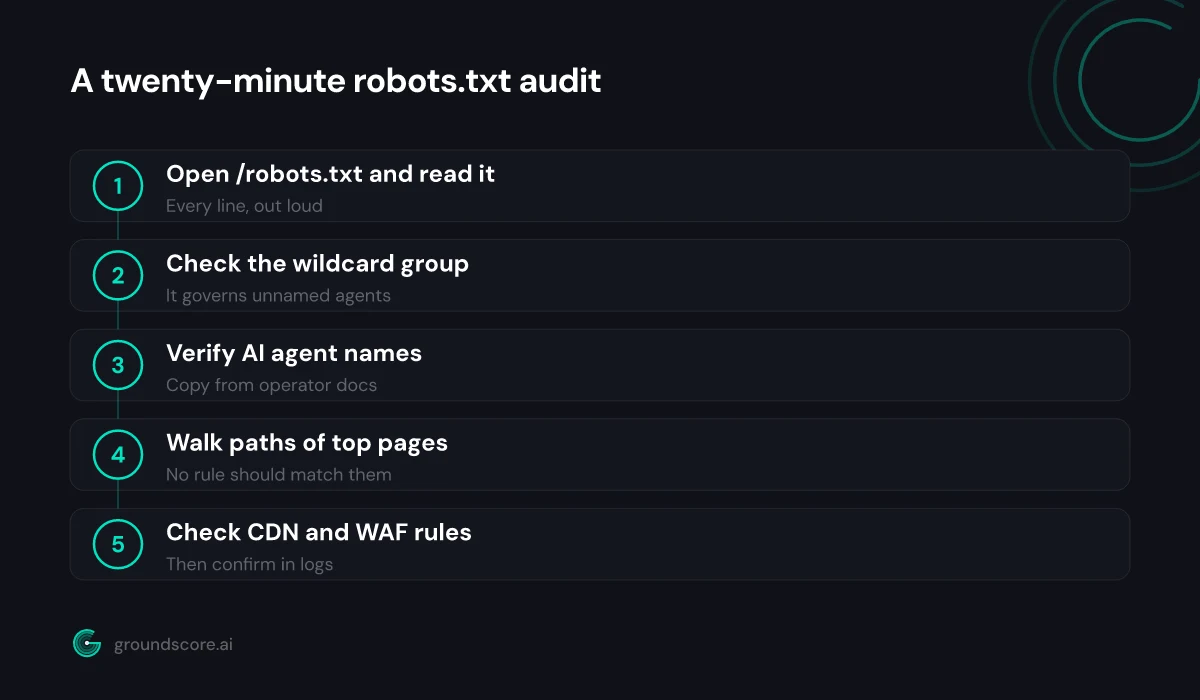
Open yoursite.com/robots.txt and search for the AI agent names: GPTBot, OAI-SearchBot, ChatGPT-User, ClaudeBot, Claude-User, PerplexityBot. Then read the wildcard group, since it governs any agent without a named section. Our step-by-step access guide walks the full audit, including logs and edge rules.
Does robots.txt actually stop AI crawlers?
For the major operators, yes: OpenAI, Anthropic, Perplexity, and Google document their agents and state that they respect robots.txt directives. It remains a voluntary convention, not an enforcement mechanism, so disreputable scrapers may ignore it. Enforcement, if you need it, happens at the CDN or firewall layer, not in the file.
Can I block AI training but still appear in AI search?
Largely, yes, because operators split those jobs across different agents. Blocking GPTBot addresses OpenAI's training crawler, while OAI-SearchBot and ChatGPT-User serve search and user requests. Blocking Google-Extended limits Google's AI use of your content without touching Googlebot. Check each operator's documentation, since agent roles evolve.
My robots.txt allows AI bots but they never visit. Why?
The usual culprit is the edge layer: CDN bot management or a firewall is challenging or dropping the requests before your server sees them, and robots.txt cannot override that. Check your CDN's bot settings and blocked-request analytics. Also confirm the site returns normal responses to non-browser user agents at all.
What happens if I have no robots.txt at all?
Nothing bad, by default: a missing robots.txt means crawlers assume everything on the site may be fetched, which is friendlier to AI visibility than most inherited files. You lose the ability to steer crawlers away from junk paths, but for small sites, no file at all beats a bad one.
The bottom line
Robots.txt problems are the cheapest AI visibility problems you will ever fix: no content to write, no authority to build, just rules to read and re-decide. The six mistakes above share one root cause, which is that the file encodes old decisions nobody re-examines. Spend twenty minutes with the wildcard group, the agent names, the path rules, and your CDN's bot settings, and you will have done more for your AI presence than most sites manage in a quarter.
Not sure whether crawlers can see your site right now? Run a free AI visibility check and find out in about a minute.
How visible is your site in AI search?
Check your AI visibility score in seconds. Free, no account needed.
Check your score