How to Optimize a SaaS Website for AI Search Answers
By Joe Della Mora, Founder, GroundScore
SaaS buyers have started asking ChatGPT which tool fits their team long before they open a comparison site. SaaS AEO, answer engine optimization for a software product, is the work of making your own pages the ones those engines quote back. It is not a rewrite of your marketing site; it is a handful of targeted changes to the pages that answer buying questions. This guide assumes you can edit your site templates or brief a developer, that you have access to your CMS and robots.txt, and that you can spend an afternoon on it. Difficulty is moderate, and most of the wins are structural rather than creative. Here are six ordered steps, from baseline measurement through comparison tables, schema, and the docs engines reach for first.
Step 1: Baseline where AI engines place you today
Direct answer: Before changing anything, measure how ChatGPT, Claude, and Perplexity answer questions in your category and whether your site is named. A baseline tells you which pages already get cited, which competitors own the answer, and where the real gaps are, so your effort lands on pages that matter.
You cannot optimize what you have not measured, and AI answers vary run to run, so a single spot check tells you very little. Ask each engine the questions a buyer would actually type: "best tool for X," "alternatives to Y," "does Z integrate with our stack." Log which sites get named and which pages of yours, if any, show up.
The point is to separate three different states. You might be absent because engines cannot crawl you, absent because your pages never answer a question directly, or present but losing to a competitor whose page is simply more quotable. Each of those needs a different fix, and guessing wastes the afternoon.
Building GroundScore, the pattern I keep seeing when we scan SaaS sites is a strong Google presence sitting next to near-total AI absence, usually because the pages that rank were built to convert, not to be quoted. The two goals overlap less than people expect.
Write the baseline down, even loosely. Note the questions you tested, which sites got named, and where you appeared or did not. That record is what lets you tell in a month whether a change actually moved anything, because a single later check, taken on its own, is just as noisy as the first one was.
If you want the fast version of this step, a free AI visibility check queries the three engines and scores where you stand across three pillars in about a minute, so you can start from data instead of a hunch.
Step 2: Rewrite feature and use-case pages to lead with a direct answer
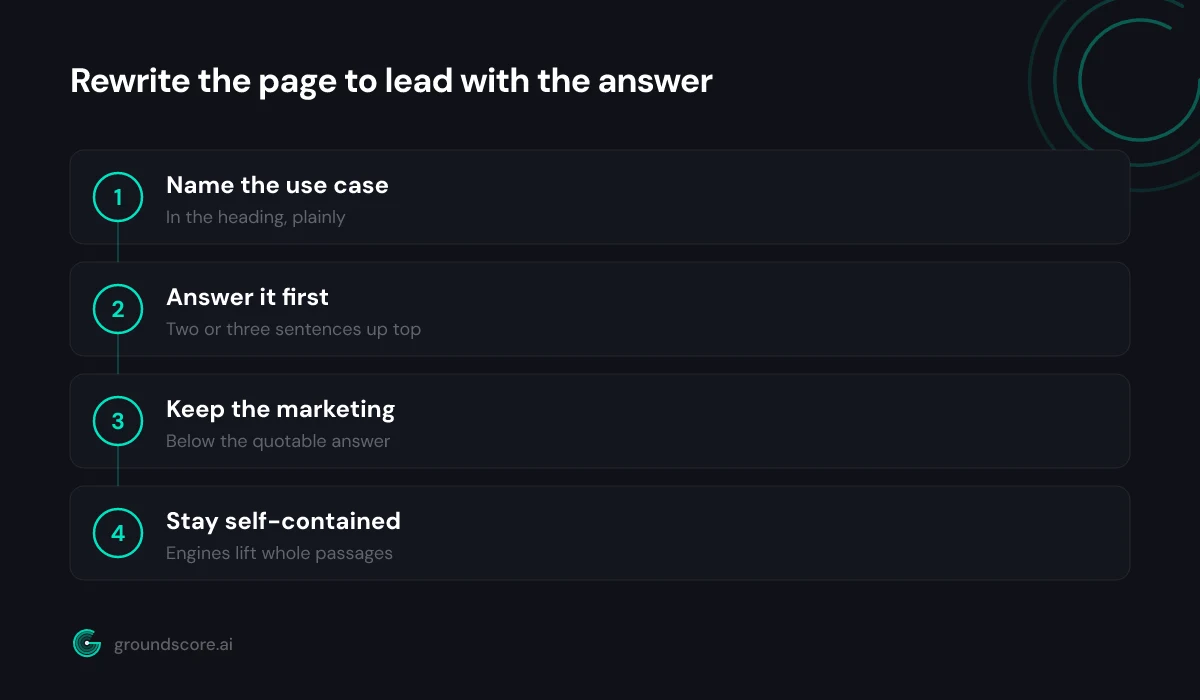
Direct answer: Rewrite the top of each feature and use-case page so the first sentence answers the question a buyer would ask an engine: what the feature does and who it is for. Engines quote self-contained passages, so an answer buried under a hero headline and three testimonials never gets picked up.
Most SaaS feature pages open with a benefit-driven headline ("Ship faster. Stress less.") followed by a screenshot and social proof. That structure converts a warm visitor, but it gives a retrieval engine nothing extractable. The engine is looking for a passage it can lift that plainly states the fact.
So add one. Under the hero, write a two-to-three sentence answer in plain language: what the feature is, the specific job it does, and the kind of team it suits. Then let the rest of the page do its marketing work. You are not removing the persuasion, you are adding a quotable layer above it.
Use-case pages benefit even more, because "best tool for remote design teams" is exactly the shape of query buyers bring to an engine. Name the use case in the heading, answer it directly in the first paragraph, and the page becomes a candidate for that answer.
We cover the mechanics of quotable writing in how to write content AI engines cite, and it applies directly here: lead with the answer, keep it self-contained, and stop making engines dig.
Step 3: Add comparison tables against the alternatives buyers weigh
Direct answer: Add a plain comparison table to each page where buyers weigh you against a named alternative. Engines lift structured comparisons almost verbatim when someone asks how two tools differ, and an even-handed table that admits your limits reads as more trustworthy than a page claiming you win on everything.
"X vs Y" is one of the highest-intent queries in any software category, and it is one an engine loves to answer with a table. If you do not publish that comparison, someone else does, and their framing wins.
Build the table honestly. Pick the dimensions buyers actually care about, and be candid where a competitor is genuinely stronger. A table that reads as a fair account gets cited; a table that reads as a sales pitch gets discounted. Here is the shape to aim for:
| Dimension | Your product | Common alternative |
|---|---|---|
| Best fit | Small remote teams | Large enterprises |
| Setup time | Under an hour | Multi-week rollout |
| Pricing model | Flat per-seat | Custom quote |
| Where it wins | Speed and simplicity | Deep configurability |
| Where it does not | Heavy compliance needs | Small-team overkill |
The candor is the point. Engines are increasingly good at detecting one-sided content, and a page that only lists your strengths tends to lose to one that helps the reader make a real decision.
Step 4: Publish a pricing page an engine can quote
Direct answer: Put real pricing in plain text on a page engines can read, not locked inside an image or a JavaScript widget. Buyers ask AI tools what software costs constantly, and a page that states tiers, prices, and what each includes in words is the one an engine can actually quote back.
Pricing is one of the first things a buyer asks an assistant, and it is one of the most common places SaaS sites go dark. Interactive pricing sliders, contact-for-quote walls, and price figures baked into images all read as empty to a fetcher.
You do not have to abandon a slider to fix this. Keep the interactive version, but also render the tiers as plain text: name each plan, state its price, and list what it includes in words the page actually contains. If your model is genuinely usage-based, describe the pricing logic in a sentence an engine can lift.
This is the same honesty engines reward everywhere else. A pricing page that plainly says "Pro is 49 dollars per seat per month, includes these features" is quotable. A page that says "flexible pricing tailored to your needs" gives the engine nothing, and nothing is what it will pass along.
There is a competitive angle too. When a buyer asks an engine to compare costs across tools, the products with quotable pricing get represented accurately and the ones without get described vaguely or skipped. Being the vendor an engine can actually price is a quiet advantage, especially in categories where most competitors still hide their numbers behind a demo request.
Step 5: Mark up your key pages with SoftwareApplication and FAQ schema
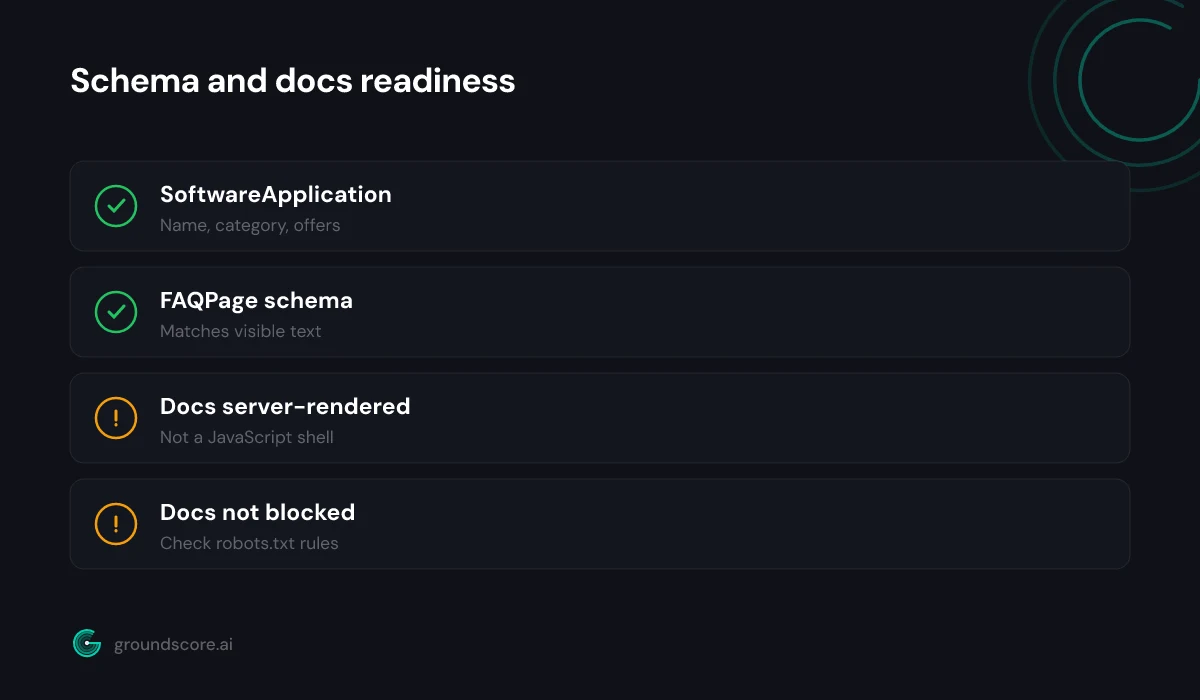
Direct answer: Add SoftwareApplication schema so engines can read your product's name, category, operating system, and offers as structured facts, and FAQPage schema on pages with real question-and-answer content. Schema does not force a citation, but it removes the guesswork an engine would otherwise do parsing your HTML.
SoftwareApplication is the schema type built for products like yours. It lets you declare the application name, category, the platforms it runs on, and an offers block for pricing, all as machine-readable facts rather than prose an engine has to infer. Add it to your homepage and primary product page.
FAQPage schema belongs on any page with genuine question-and-answer pairs, and SaaS sites are full of them: onboarding questions, integration questions, security questions. Mark up the real ones, keep the schema answers identical to the visible text, and you hand engines clean, labeled passages.
The step-by-step for the FAQ side lives in how to add FAQ schema AI engines can actually use, including the mistake that quietly breaks it: letting the markup and the on-page text drift apart. Whatever you claim in schema has to match what a reader sees, or engines discount both.
Step 6: Keep your docs and help center crawlable
Direct answer: Make sure your documentation and help center are server-rendered and not blocked in robots.txt. Docs answer the specific how-do-I questions engines love to ground in, but many SaaS help centers sit behind JavaScript apps or subdomains that AI crawlers cannot reach, so the most quotable content stays invisible.
Documentation is a citation goldmine that most SaaS teams never optimize. It answers narrow, high-intent questions in exactly the format engines prefer, and it is usually written plainly because it has to be. The problem is access, not quality.
Check three things. First, that your docs are not disallowed in robots.txt, either directly or by an old blanket rule. Second, that they render server-side, because many documentation platforms are single-page apps that a non-JavaScript fetcher sees as empty shells. Third, that a docs subdomain, if you use one, is crawlable in its own right.
Confirm what the crawler actually sees by fetching a docs page the way an engine would, without executing scripts. If the useful content only appears after JavaScript runs, it is invisible to fetchers that do not execute it, and that describes a lot of AI crawlers today.
There is a second reason docs matter for SaaS specifically: they are usually your most current content. Marketing pages get rewritten on a slow cycle, but docs update with every release, which means they carry the freshest, most accurate answers on your site. Engines that weigh recency reward that, so getting docs crawlable often surfaces you for exactly the technical questions where a competitor's stale marketing copy falls short.
Fix access first, and the content you already wrote starts working for you in answers you were previously absent from.
Frequently asked questions
What is SaaS AEO?
SaaS AEO is answer engine optimization applied to a software product: shaping your feature, pricing, comparison, and documentation pages so ChatGPT, Claude, Perplexity, and similar engines can find, understand, and quote them when a buyer asks which tool fits their needs. It focuses on quotable answers, not keyword rankings.
Do I need to rewrite my whole SaaS marketing site?
No. The changes are targeted, not a redesign. You add a quotable answer above existing hero copy, publish comparison tables and plain-text pricing, add two schema types, and confirm your docs are crawlable. The persuasion layer stays; you are adding an extractable layer on top of it for engines to lift.
Which schema types matter most for a SaaS website?
SoftwareApplication is the core type, since it describes your product's name, category, platform, and pricing as structured facts. FAQPage schema helps on any page with real question-and-answer content. Organization schema ties your company identity together. Keep every schema value identical to the visible page, or engines discount the markup.
Will optimizing for AI search hurt my Google rankings?
No. The work overlaps heavily with good SEO: crawlable pages, structured data, clear answers, and honest content help both. Leading with a direct answer and publishing plain-text pricing does not cost you rankings. It mostly closes the gap where a page ranks well in Google yet stays absent from AI answers.
How long does it take to see AI search results improve?
It varies by engine. Crawler and robots.txt fixes can open access within days, and engines that fetch pages live reflect new content quickly. Index-based grounding refreshes on its own schedule, so presence builds unevenly over weeks. Treat it as a monthly cadence: measure, fix, re-measure, and judge the trend.
The bottom line
SaaS sites are often the best-built and least AI-visible pages on the web, because they were engineered to convert a warm visitor rather than to be quoted by a machine. The six steps here close that gap without a redesign: baseline, add quotable answers, publish honest tables and pricing, add schema, and free your docs. Sequence matters, so fix access before you polish structure.
Start by seeing exactly where you stand. Run a free AI visibility check on your SaaS site and get your score across all three pillars before you change a line.
How visible is your site in AI search?
Check your AI visibility score in seconds. Free, no account needed.
Check your score