llms.txt vs robots.txt vs sitemap.xml: What Each One Does
By Joe Della Mora, Founder, GroundScore
The llms.txt vs robots.txt question comes up in almost every conversation about AI crawlers, usually tangled up with a third file: sitemap.xml. All three are plain files at your site's root. All three talk to machines. And that is where the similarity ends — they do three different jobs, and confusing them leads to real mistakes, like assuming a new llms.txt file makes robots.txt rules obsolete.
This comparison keeps all three files in one frame — permission, discovery, comprehension — instead of explaining each in isolation, because the mistakes happen at the seams between them. We will walk through what each file does, who reads each one, what going without each costs you, why llms.txt replaces nothing, and how the three work together on a well-configured site.
What does each file actually do?
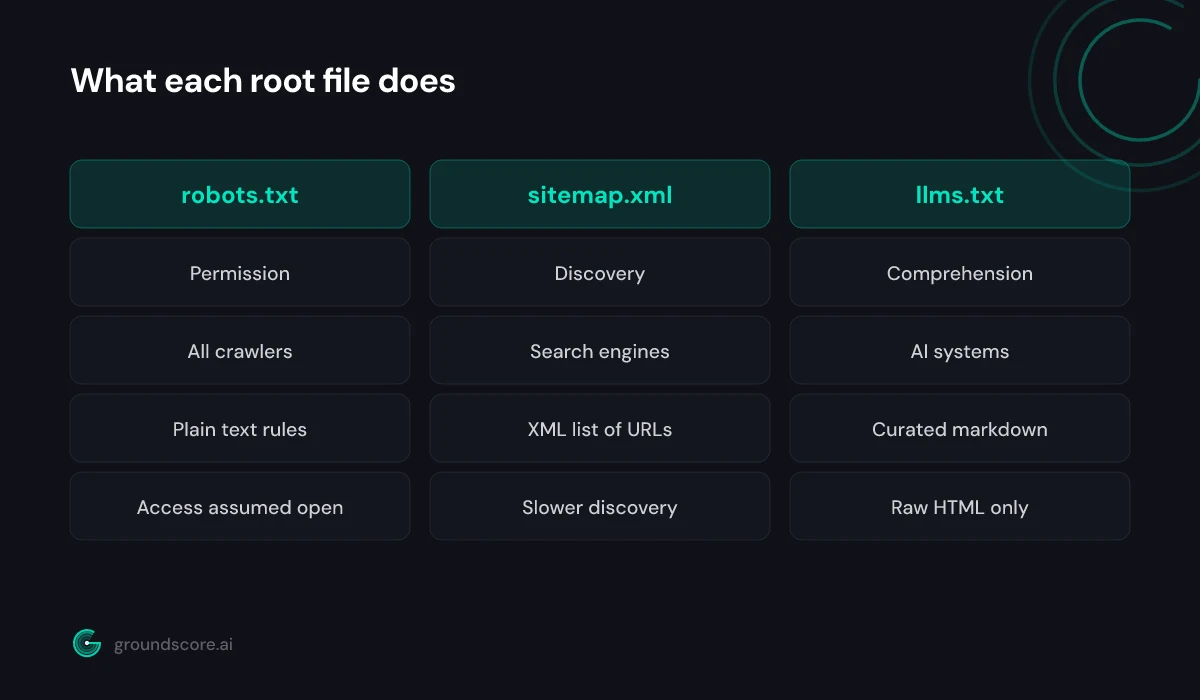
Direct answer: robots.txt grants or denies crawler access — it is a permission file. sitemap.xml lists the URLs you want discovered — it is a discovery file. llms.txt explains what your site is about and which pages matter — it is a comprehension file. Three files, three different jobs, zero overlap in what they control.
Here is the full picture in one table:
| Criterion | robots.txt | sitemap.xml | llms.txt |
|---|---|---|---|
| Core job | Permission | Discovery | Comprehension |
| Question it answers | May I crawl this? | What URLs exist? | What does this site mean? |
| Primary audience | All well-behaved crawlers | Search engine crawlers | AI systems |
| Format | Plain text directives | XML | Markdown |
| Status | Long-established convention | Established protocol | Early-stage proposal |
| If missing | Full access assumed | Slower, patchier discovery | AI parses raw HTML instead |
| Curated by you | No | Rarely — usually auto-generated | Yes — that is the point |
robots.txt is the oldest of the three, dating back to the mid-1990s. It is a set of directives — user agents matched to allow and disallow rules — that tells crawlers which paths they may fetch. It carries no information about what your content says or which pages matter. It is a gate, nothing more.
sitemap.xml came later as search engines scaled. It is a machine-readable inventory: every URL you want indexed, often with modification dates. Most platforms generate it automatically, which is why it is the file site owners think about least.
llms.txt is the newcomer, proposed at llmstxt.org as a curated markdown summary for AI systems. We covered it in depth in our llms.txt explainer — the short version is that it describes meaning, which neither of the older files attempts.
Who reads each file?
Direct answer: Every well-behaved crawler — search engines and AI bots alike — checks robots.txt before fetching anything. sitemap.xml is consumed mainly by search engine crawlers during indexing. llms.txt targets AI systems that read content at answer time, though honest disclosure: support among the major AI providers is still early and inconsistently documented.
The robots.txt audience is the broadest by far. Googlebot reads it, Bingbot reads it, and the AI crawlers read it too: GPTBot and OAI-SearchBot from OpenAI, ClaudeBot from Anthropic, PerplexityBot, and Google-Extended all check your robots.txt and respect its rules. That universality is exactly why a careless robots.txt is so expensive — one bad line speaks to every crawler at once.
The sitemap audience is narrower. Search engines use sitemaps to schedule crawling and discover new or updated pages. AI crawlers can follow the same trail, but a sitemap tells them nothing about which pages are worth their limited attention — it is a phone book, not a recommendation.
The llms.txt audience is the newest and the least settled. The major AI providers document their crawlers' robots.txt behavior in detail, but none has published equivalent commitments about llms.txt. Where the file does get read today is the developer ecosystem: AI coding assistants, documentation tools, and agent frameworks that fetch it when exploring a site. If your buyers research through AI tools, that audience is not nothing — but be clear-eyed that you are publishing for where the ecosystem is heading, not for a guaranteed reader today.
You can watch these audiences arrive, by the way. Server logs show which user agents fetch which files, and the pattern is instructive: robots.txt gets hit constantly by everything, sitemap fetches cluster around search crawlers, and requests for /llms.txt — where they appear at all — come from the newer AI-adjacent agents. Ten minutes in your logs tells you more about your actual crawler audience than any vendor deck.
What happens if a file is missing?
Direct answer: Missing robots.txt means crawlers assume full permission to fetch everything. Missing sitemap.xml means slower, less complete discovery — crawlers rely on following links. Missing llms.txt means AI systems parse your raw HTML with no curated guide. Only the first is about rights; the other two cost you visibility gradually.
The asymmetry here surprises people: a missing robots.txt is usually harmless, but a bad one is the most damaging misconfiguration on this page. No file means open access — fine for most sites that want visibility. A file with a careless Disallow: / under User-agent: *, though, shuts out every crawler including the AI ones. We cataloged the common failure patterns in 6 robots.txt mistakes that quietly block AI crawlers.
A missing sitemap hurts in proportion to your site's size. A ten-page site with clean internal links gets discovered fine without one. A thousand-page site without a sitemap leaves crawlers to find pages by following links alone, and deep pages can sit undiscovered for a long time.
A missing llms.txt is simply the status quo — the overwhelming majority of the web does not have one. You lose nothing relative to your competitors today; you just leave AI systems to work out your site from raw HTML, and you pass up a cheap chance to shape how they read you.
When we run free checks at GroundScore, the most common configuration we see is exactly this split: a robots.txt written years ago and never revisited, a sitemap the CMS generates automatically, and no llms.txt at all. Permission stale, discovery on autopilot, comprehension absent.
Does llms.txt replace robots.txt or sitemap.xml?
Direct answer: No. This misconception needs killing: llms.txt replaces nothing. robots.txt still controls which crawlers may access your site. sitemap.xml still tells search engines what exists. llms.txt adds a third, separate layer — helping AI systems understand your content once they have permission and have found it. All three coexist.
The confusion is understandable. The files look alike: same location, similar names, all aimed at machines. And some early llms.txt coverage muddied things further by describing it as "robots.txt for AI," which wrongly implies it controls what AI systems may do.
It does not. llms.txt has no permission semantics at all. You cannot use it to block a crawler, and listing a page in it grants nothing that robots.txt has forbidden. A well-behaved AI crawler that is disallowed in robots.txt will not fetch your pages no matter how invitingly your llms.txt describes them. Permission always wins.
The reverse is also true: robots.txt and sitemap.xml cannot do llms.txt's job. Neither format has anywhere to put a description, a summary, or a priority order. They were designed for machines that index; llms.txt was designed for machines that read.
So the three files are complements, not competitors. The practical takeaway: adding llms.txt to your site changes nothing about your robots.txt obligations, and cleaning up your robots.txt does not make a comprehension layer redundant. Each file needs its own five minutes of attention.
How do the three files work together?
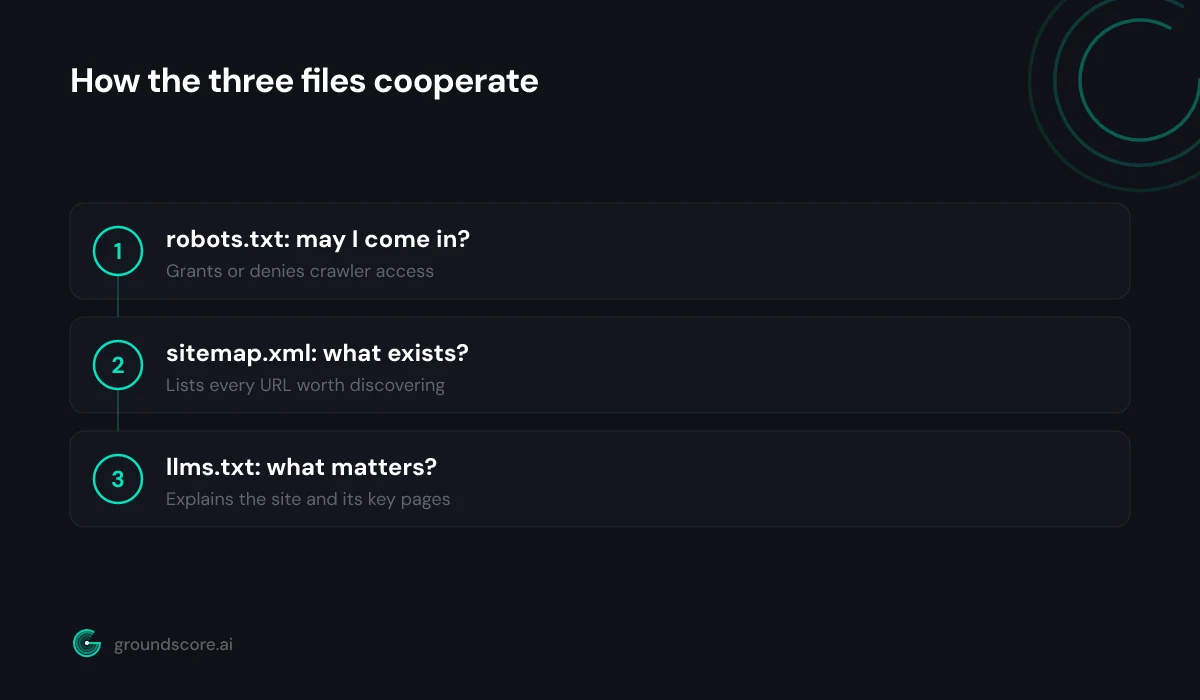
Direct answer: Think of a crawler's journey in three questions. May I come in? robots.txt answers that. What is here? sitemap.xml answers that. What matters and what does it mean? llms.txt answers that. A site set up for AI search serves all three, each doing the one job it was designed for.
Walk the pipeline from an AI system's point of view. It arrives at your domain and checks robots.txt first — if it is blocked, everything ends here. Cleared for entry, it needs to find your content: internal links and your sitemap provide the inventory. Then comes the step the older files never addressed: deciding what your site is about and which pages deserve attention. That is the gap llms.txt fills, with a curated, described, prioritized reading list.
Setting all three up correctly takes less than an afternoon:
- robots.txt: audit for accidental blocks, confirm the AI user agents you want are allowed, and reference your sitemap with a
Sitemap:line. - sitemap.xml: confirm your platform generates it, that it is current, and that it actually includes your key pages.
- llms.txt: write or generate a curated map of your ten to thirty most important pages with one-line descriptions.
Then keep them consistent. The classic seam error is listing a page in llms.txt that robots.txt blocks — you are recommending a page the reader is forbidden to fetch. The same goes for sitemap entries that redirect or 404. Three files, one story: let them in, show them everything, tell them what matters.
A quarterly ten-minute review keeps the trio honest: read robots.txt and confirm every block is still intentional, spot-check that the sitemap includes your newest key pages, and click through every llms.txt link. Files at the root rot quietly — nothing visibly breaks when they drift out of date, which is exactly why the drift persists until someone looks.
Frequently asked questions
Can llms.txt override a robots.txt block?
No. robots.txt is the permission layer, and well-behaved crawlers honor it before fetching anything else. If your robots.txt blocks an AI crawler, that crawler will not fetch your pages regardless of what llms.txt says. If you want AI systems reading your content, fix access first, then add comprehension.
Should llms.txt list the same URLs as my sitemap?
No. A sitemap is exhaustive — every indexable URL belongs there. llms.txt is deliberately selective: the ten to thirty pages that best explain your business, each with a one-line description. If the two files contain the same list, you have skipped the curation that gives llms.txt its value.
Do AI crawlers actually respect robots.txt?
The major providers — OpenAI, Anthropic, Google, Perplexity — publish their crawler user agents and state that they honor robots.txt directives. Compliance is on the honor system, as it always has been for search crawlers, and obscure scrapers vary. For the crawlers that matter to AI visibility, treat robots.txt as effective.
Which of the three files should I fix first?
robots.txt, without question. It is the gate in front of everything else: if it blocks AI crawlers, your sitemap and llms.txt never matter because nothing gets fetched. Audit it for accidental blocks, then confirm your sitemap is current, then add llms.txt as the comprehension layer on top.
Do I need llms-full.txt as well?
Probably not. llms-full.txt compiles your full content into one large markdown file, which pays off mainly for documentation-heavy sites where AI assistants answer detailed reference questions. For a typical business site, a curated llms.txt pointing at your key pages covers the need with far less maintenance.
Where do all three files live?
At the root of your domain: yourdomain.com/robots.txt, yourdomain.com/sitemap.xml, and yourdomain.com/llms.txt. Subdirectories do not work for robots.txt and llms.txt — crawlers only check the root. Sitemaps can technically live elsewhere if robots.txt points to them, but the root is the convention worth keeping.
The bottom line
robots.txt decides who gets in. sitemap.xml shows what exists. llms.txt explains what matters. None of them replaces another, and a site that is serious about AI search visibility eventually wants all three doing their jobs — permission audited, discovery current, comprehension curated.
Most sites we look at have exactly one of the three in good shape. Find out which camp you are in with a free AI visibility check — it inspects your crawler access and site readiness in about a minute, no account required.
How visible is your site in AI search?
Check your AI visibility score in seconds. Free, no account needed.
Check your score