How to Run a DIY AI Visibility Audit in One Afternoon
By Joe Della Mora, Founder, GroundScore
An AI visibility audit answers one question: when AI engines like ChatGPT, Perplexity, and Claude answer questions about businesses like yours, can they find you, understand you, and cite you? You do not need a consultant or a subscription to get an honest first read. You need a browser, a text editor, and about three hours.
Prerequisites: know your domain, be comfortable viewing a page's source code (right-click, View Page Source), and — helpful but not required — have access to your hosting or CDN dashboard. Difficulty: determined beginner. Nothing here requires writing code.
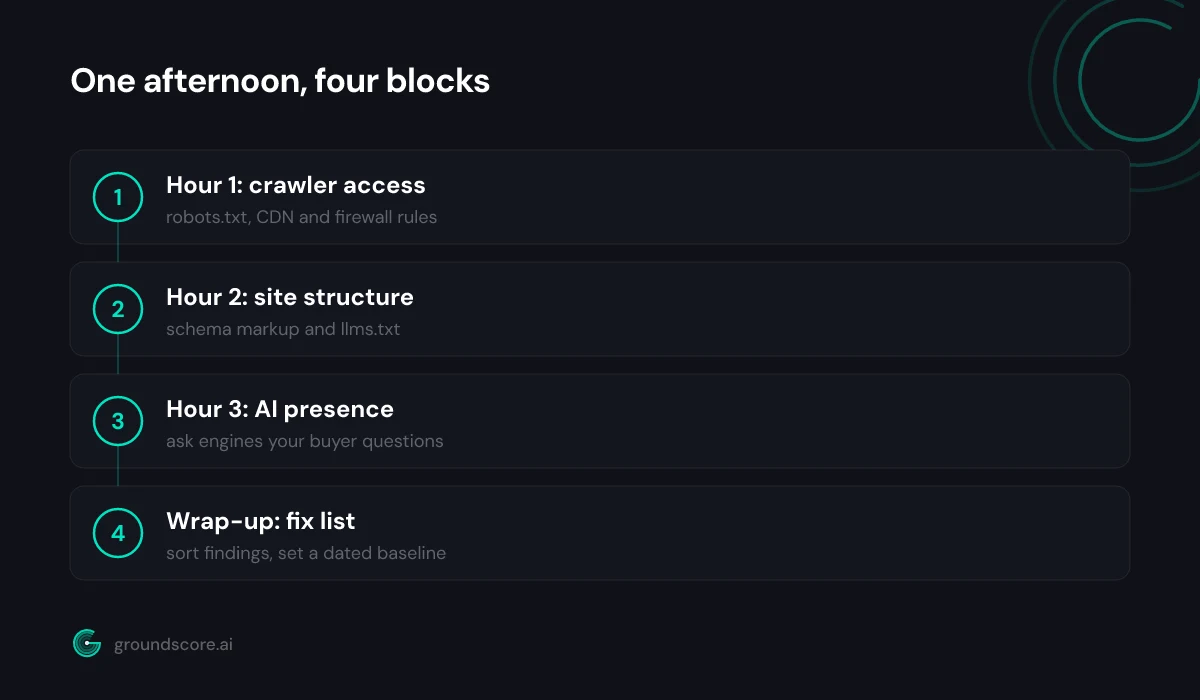
What this guide adds over generic checklists: it is time-boxed, ordered by what blocks what, and it ends with a dated baseline you can re-test against. Here is the plan: hour one covers access, hour two covers structure, hour three covers presence, and the wrap-up turns findings into a fix list.
Step 1: audit AI crawler access (hour one)
Direct answer: Load yourdomain.com/robots.txt in a browser and read every user-agent block. Check whether GPTBot, OAI-SearchBot, ClaudeBot, PerplexityBot, or Google-Extended are disallowed, then confirm your CDN or firewall is not blocking them separately. If AI crawlers cannot fetch your pages, nothing else in this audit matters.
Start at the robots.txt file. Read it top to bottom and note every User-agent: block and what it disallows. The agents that matter for AI visibility: GPTBot and OAI-SearchBot (OpenAI's training and search crawlers), ChatGPT-User (fetches a page when a ChatGPT user needs it), ClaudeBot and Claude-User (Anthropic's equivalents), PerplexityBot, and Google-Extended (controls whether Google uses your content for AI features). OpenAI documents its crawlers at platform.openai.com/docs/bots.
Three specific things to look for:
- A blanket
Disallow: /underUser-agent: *— this blocks everyone, including every AI crawler. - Explicit blocks naming any of the AI agents above, often added during a 2023-era bot scare and forgotten.
- Disallow rules covering the folders where your best content actually lives, such as
/blog/or/services/.
robots.txt is only half the story. CDN and firewall rules override it silently: many providers ship an "block AI bots" toggle that returns errors to these crawlers no matter what robots.txt says. If you can reach your CDN dashboard, check the bot-management settings. If you have server logs, search them for the agent names — seeing GPTBot fetch pages is direct evidence access works.
Building GroundScore, the most common access problem I see when we scan sites is not a deliberate robots.txt block. It is a firewall rule somebody enabled once and forgot, so the owner polishes content while every AI crawler gets turned away at the door. For a deeper walkthrough of this step, see our guide to checking whether AI crawlers can access your website.
Step 2: audit your structure with schema and llms.txt (hour two)
Direct answer: Open your five most important pages and check each one for structured data: view the page source and search for application/ld+json. Note which pages have Organization, FAQPage, or Article markup and which have none. Then check whether yourdomain.com/llms.txt exists. Gaps here mean AI systems work harder to understand you.
Pick the five pages that matter most — usually your homepage, about page, and your top service or product pages. On each one, open View Page Source and search for application/ld+json. That is where JSON-LD structured data lives. You are checking for the schema types that help AI systems understand who you are and what the page says:
- Organization or LocalBusiness — machine-readable identity: name, URL, logo, location.
- Article — authorship and publication facts for content pages.
- FAQPage — clean question-and-answer pairs an engine can lift directly.
- Product or Service — what you actually sell.
Write down, per page, which types you found. No markup at all is a common and fixable finding. Markup that contradicts the visible page — a leftover plugin default with the wrong business name — is worse than none, so read what the markup actually says.
Next, load yourdomain.com/llms.txt. This is a proposed standard: a plain markdown file at your site root that gives AI systems a clean, uncluttered summary of what your site is and which pages matter. Adoption is still early and uneven, but the file costs almost nothing to maintain. If yours is missing, our free llms.txt generator builds one in a few minutes.
Last structural check: disable JavaScript in your browser's developer tools and reload a key page. If the content disappears, crawlers that do not execute JavaScript are seeing a blank page too.
Step 3: audit your AI presence (hour three)
Direct answer: Write down ten questions a real buyer would ask before choosing a business like yours, then ask them in ChatGPT, Perplexity, and Claude. Log every answer: were you named, was a competitor named, was your site linked? This is the ground truth the whole audit exists to improve.
The hardest part is writing honest questions. Do not test your brand name — of course the engines know your site exists when you name it. Test the questions that precede brand awareness: "what should a kitchen remodel cost in [your city]?", "best accounting software for a small law firm?", "how do I choose a wedding photographer?" Write the questions your actual customers asked before they found you.
Run each question in each engine and keep a simple log with five columns: the question, the engine, whether your business was named, whether your site was linked, and which competitors appeared. The competitor column often stings, and it is the most useful data in the whole audit — those are the sites the engines currently trust for your questions.
One caution: generated answers vary between runs. The same question can cite you today and skip you tomorrow. A single pass is a snapshot, not a verdict, so resist strong conclusions from one absence. If a pattern holds across ten questions and three engines, that pattern is real.
If you want this measurement without the hour of manual logging, the free AI visibility check does it in about a minute — no account needed. It checks how your site shows up in ChatGPT, Claude, and Perplexity and scores the result from 0 to 100 across three pillars: Authority & Trust, Site Readiness, and AI Presence.
Step 4: sort findings into a prioritized fix list
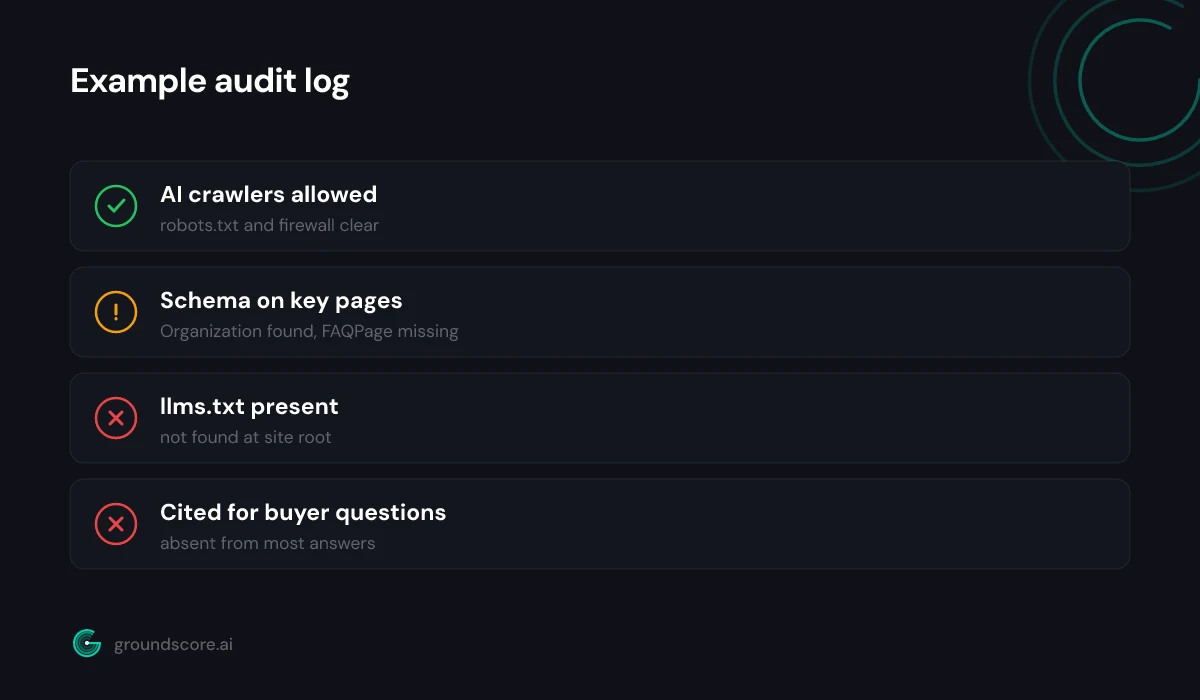
Direct answer: Sort your findings into three buckets: access blockers, structure gaps, and presence gaps. Fix access blockers first, because a blocked crawler makes every other fix invisible. Structure gaps come second since they are quick and mechanical. Presence gaps come last because they respond to content work over weeks, not hours.
The order matters more than the effort. There is no point writing better content while a firewall rule hides it, and no point tuning schema on pages that answer no real question. Work top-down:
| Bucket | Example findings | Typical effort |
|---|---|---|
| Access blockers | GPTBot disallowed, CDN bot rule, blocked folders | Minutes to an hour |
| Structure gaps | No Organization schema, no llms.txt, JS-only content | An afternoon |
| Presence gaps | Absent from answers competitors appear in | Weeks of content work |
Within each bucket, sort by reach. A robots.txt fix touches the whole site; a schema fix touches one page; a new FAQ answer targets one question. Do whole-site fixes before page fixes, and page fixes before question fixes.
Be honest about what you cannot fix this week. Presence gaps close by publishing pages that answer the exact questions where you were absent — directly, in the first paragraph, in plain language. That is a content program, not a Saturday task. The audit's job is to make sure the program starts from measured gaps instead of guesses.
Step 5: set a baseline and schedule a re-test
Direct answer: Record what you found in one document: blocked agents, pages without schema, questions where you were absent. Date it. That document is your baseline. Re-run the same checks after you ship fixes, roughly a month later, and compare. An audit without a re-test is just a list of worries.
The baseline is what separates an audit from an afternoon of anxiety. Keep it boring and concrete: a dated file listing every finding from steps one through three, plus your fix list from step four with a status column.
When you re-test, change nothing about the method. Same ten questions, same three engines, same pages checked for schema. If you swap questions between runs, you cannot tell whether the answers changed or the test did. Access and structure fixes should show as resolved almost immediately on the re-test. Presence moves slower and noisier — look for direction across the whole question set, not any single answer flipping.
A monthly cadence is enough for most small sites doing active fixes; quarterly is fine for maintenance. The failure mode to avoid is the audit that happens once, produces a to-do list, and never gets checked again. Ten findings fixed but never verified are worth less than five findings fixed and confirmed, because confirmed fixes teach you what actually moves your answers.
Frequently asked questions
How long does a DIY AI visibility audit take?
Plan for about three hours: one for crawler access, one for structure, one for asking engines your buyer questions and logging results. Small sites with a handful of pages finish faster. The wrap-up — sorting findings and writing a dated baseline — takes another thirty minutes and is the part most people skip.
Do I need technical skills to run this audit?
No code is required. You need to open a robots.txt file in a browser, view a page's source and search for text, and ask questions in AI chat tools. The only step that may need help is fixing CDN or firewall rules, which might involve whoever manages your hosting.
How often should I repeat the audit?
Re-test about a month after shipping fixes, using the same questions, engines, and pages so results stay comparable. After that, monthly works while you are actively fixing things and quarterly is fine for maintenance. Access and structure rarely regress silently, but AI presence drifts, so the presence step deserves the most frequent repetition.
Which AI engines should I include in the presence audit?
Start with ChatGPT, Perplexity, and Claude — three engines with different retrieval behavior, which is why a free GroundScore check queries those same three. Add Gemini if your audience skews toward Google's ecosystem. More engines means more logging time, so it is better to run ten questions on three engines than three questions on six.
What if everything passes but AI engines still never mention my site?
Then access and structure were never your problem — content is. Engines cite pages that answer questions directly, and most business sites describe themselves instead of answering anything. Take the questions where competitors appeared and you did not, and publish pages that answer each one plainly in the opening paragraph.
Is a paid tool better than a DIY audit?
They answer different needs. A DIY audit is free, builds real understanding, and is absolutely worth doing once. A tool earns its keep on repetition: consistent methodology, more questions sampled, history tracked over months, and monitoring you do not have to remember to run. Start DIY, automate when re-testing becomes a chore.
The bottom line
Three hours gets you what most businesses never have: a measured, dated picture of whether AI engines can find you, parse you, and cite you — and a fix list sorted by what actually blocks what. The audit is not the goal. The baseline and the re-test are, because they turn AI visibility from a vague worry into a number that moves.
If you want the measured version without the afternoon, run a free AI visibility check — it takes about a minute, needs no account, and gives you a scored baseline to work from.
How visible is your site in AI search?
Check your AI visibility score in seconds. Free, no account needed.
Check your score