How to Add LocalBusiness Schema for AI Search Results
By Joe Della Mora, Founder, GroundScore
LocalBusiness schema is the structured data that tells a machine what your business is, where it operates, and how to reach it. When someone asks ChatGPT or Perplexity for a plumber, a dentist, or a bakery near them, the engines that answer well lean on exactly this kind of machine-readable identity to decide who to name. Building GroundScore, the pattern we keep seeing on local sites is a great About page a human loves and a machine cannot parse, because none of the key facts are encoded. This guide fixes that. You will add valid LocalBusiness schema to your site by hand, no plugin required. Prerequisites: access to edit your page HTML or your CMS head, your exact business details, and about 30 minutes. No coding background needed beyond copy, paste, and careful editing. Here are the steps, in order.
Step 1: Choose the right LocalBusiness subtype
Direct answer: Choose the most specific schema.org type that fits your business. LocalBusiness is the general type, but subtypes like Dentist, Restaurant, Plumber, or LegalService describe you more precisely. Pick the narrowest one that is accurate, because a more specific type gives an engine a clearer, more confident read of what you actually do.
Schema.org organizes local businesses as a tree. LocalBusiness sits near the top, and dozens of subtypes branch off it: Restaurant, Dentist, Electrician, HomeAndConstructionBusiness, FinancialService, and many more. Each subtype inherits every property of LocalBusiness and adds meaning.
The rule is simple: use the most specific accurate type. If you run a dental practice, use Dentist, not the generic LocalBusiness. The specific type tells an engine what category of question you belong in, which is precisely the judgment it has to make before recommending you.
If no subtype fits cleanly, fall back to LocalBusiness. It is better to be accurate and general than specific and wrong. You can browse the full list at schema.org/LocalBusiness, where each subtype links to its own page and properties.
One caveat: pick a single primary type per page. A business that is genuinely two things, say a cafe and a bookstore, should still lead with one type and describe the rest in prose, rather than stacking conflicting types that muddy the read. An engine trying to categorize you does better with one confident signal than two competing ones.
A quick way to decide is to finish this sentence: "When someone searches for a business like mine, they type ___." The category they would type is usually the subtype you want. If that word maps to a schema.org type, use it. If it maps to something broader with no exact match, climb one branch up the tree until you find an accurate parent. The goal is the tightest type that is still true, never a stretch for the sake of specificity.
Step 2: Fill in the required properties
Direct answer: Fill in the core properties every local business needs: name, address, telephone, url, and geo or opening hours where relevant. Use PostalAddress for the address with its street, city, region, and postal code broken into separate fields. These are the facts an engine reads to confirm who and where you are.
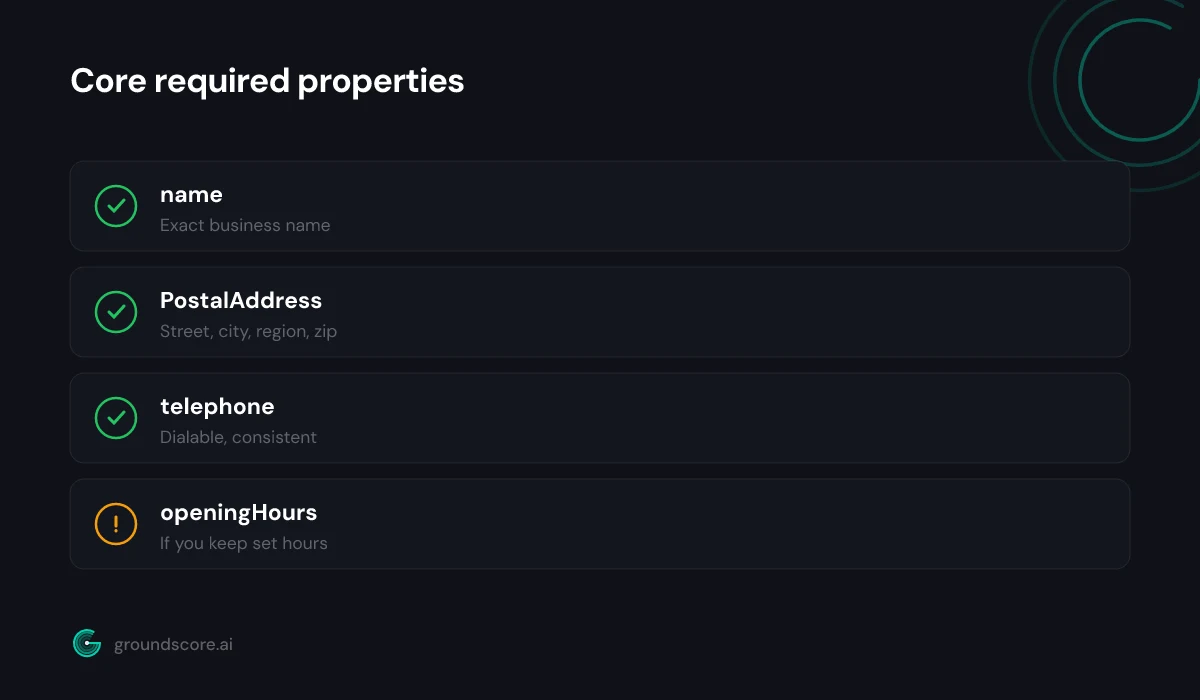
The heart of LocalBusiness schema is a small set of properties that answer who, where, and how to reach you. At minimum, include:
name— your exact business name, spelled the way it appears everywhere elseaddress— a nestedPostalAddresswithstreetAddress,addressLocality,addressRegion, andpostalCodetelephone— in a consistent, dialable formaturl— your canonical homepageopeningHoursSpecification— your hours, if you keep set hoursimageandpriceRange— helpful where they apply
Break the address into its parts rather than dumping one string. A machine that gets addressLocality and addressRegion as discrete fields can resolve your location with far more confidence than one parsing a comma-separated line.
Accuracy beats completeness. A handful of correct, verifiable fields serves you better than a long block padded with guesses. If you are unsure of a value, leave it out rather than approximate it. A wrong phone number in your schema is worse than a missing one, because it actively misleads a machine that is trying to trust you.
Think of these properties as the answer to a specific local query. When a user asks an engine for a business near them, the engine has to resolve a name, a place, and a way to act, calling, visiting, or booking. Each property you fill accurately removes a reason for the engine to skip you in favor of a competitor whose details it could parse. That is the entire mechanism: you are not decorating the page, you are handing a machine the facts it needs to name you confidently.
Step 3: Write the JSON-LD and place it on the page
Direct answer: Write your details as a JSON-LD block using the schema.org context and your chosen type, then place it inside a script tag in the page head or body. JSON-LD is Google's and the engines' preferred format because it lives separately from your visible HTML and is unambiguous for a machine to parse.
JSON-LD is the format to use. It sits in its own <script type="application/ld+json"> tag and does not touch your visible markup, which makes it clean to add and easy to maintain. Here is a complete, minimal example for a dental practice:
{
  "@context": "https://schema.org",
  "@type": "Dentist",
  "name": "Riverside Family Dental",
  "url": "https://www.example.com",
  "telephone": "+1-555-123-4567",
  "priceRange": "$$",
  "address": {
    "@type": "PostalAddress",
    "streetAddress": "120 River Road",
    "addressLocality": "Austin",
    "addressRegion": "TX",
    "postalCode": "78701",
    "addressCountry": "US"
  },
  "openingHoursSpecification": [
    {
      "@type": "OpeningHoursSpecification",
      "dayOfWeek": ["Monday", "Tuesday", "Wednesday", "Thursday", "Friday"],
      "opens": "08:00",
      "closes": "17:00"
    }
  ]
}
Swap in your real values, wrap it in the script tag, and place it in the <head> or near the end of <body>. Put it on the page that represents the business, usually your homepage or a dedicated location page, not on every page of the site.
Step 4: Add areaServed for service-area businesses
Direct answer: Add areaServed when you travel to customers instead of, or in addition to, serving them at an address. It tells an engine the cities, regions, or radius you cover, which is exactly what a local recommendation query needs. Without it, a service-area business can be invisible for the very towns it works in.
Plenty of local businesses do not sit still. Plumbers, electricians, mobile groomers, and home services go to the customer, and for them the single storefront address undersells the reality. areaServed closes that gap.
You can express it a few ways. The simplest is a list of place names:
{
  "areaServed": [
    { "@type": "City", "name": "Austin" },
    { "@type": "City", "name": "Round Rock" },
    { "@type": "City", "name": "Cedar Park" }
  ]
}
Add this alongside your other properties in the same JSON-LD block. If you serve a radius rather than named towns, you can describe a GeoCircle, but named cities tend to map most directly to how people phrase local queries.
This one property is often the difference between showing up for "near me" style questions and missing them entirely. If your service area is your business, do not leave it implied. We cover the broader local setup in pages every local business needs for AI search.
Keep the list honest and specific. Naming every town within a hundred miles when you realistically serve three of them is the kind of overreach that reads as noise, and it can undercut the relevance of the areas you truly cover. List the places you actually work, spelled the way locals spell them, and revisit the list as your coverage genuinely grows. A tight, true service area is a stronger signal than a padded one.
Step 5: Validate and keep it in sync
Direct answer: Validate your markup with the Schema.org validator or Google's Rich Results Test to catch syntax errors and missing required fields. Then keep the schema identical to what appears on your visible page and your external listings. Schema that contradicts your live details or your Google profile undermines the trust it was meant to build.
Never ship schema you have not validated. Paste your JSON-LD into the Schema.org validator to confirm it parses and the types resolve, and run it through Google's Rich Results Test to catch anything that breaks eligibility. Both are free and take a minute.
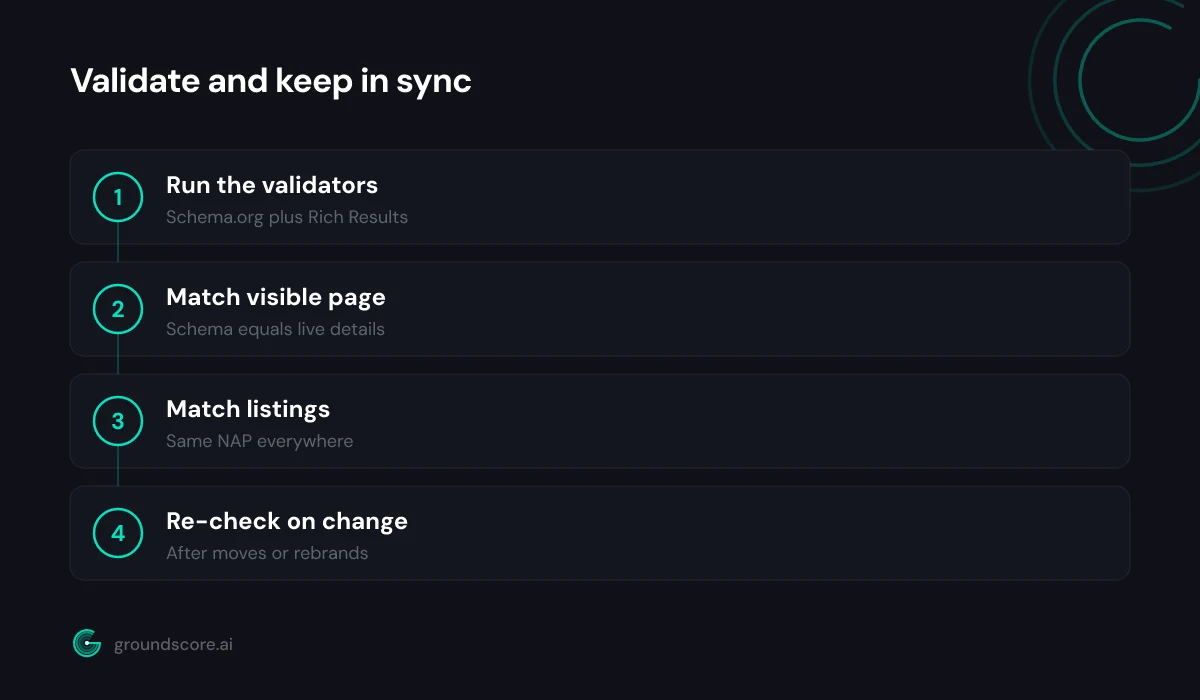
The subtler discipline is consistency. Your schema, your visible page content, and your external profiles all need to tell the same story. Here is what a machine cross-checks:
| Detail | Must match across |
|---|---|
| Business name | Site, schema, directory listings |
| Address | Schema, contact page, map profiles |
| Phone number | Schema, footer, external listings |
| Hours | Schema, visible page, profiles |
When those line up, your identity resolves cleanly and trust accrues. When they drift, an engine sees ambiguity, and ambiguity is what keeps you out of answers. Set a reminder to re-check after any move, rebrand, or hours change, because stale schema quietly works against you. The consistency is not a one-time task so much as a standing habit: every place your business is named is a place a machine might read, and they all need to agree.
Frequently asked questions
Does LocalBusiness schema guarantee AI engines will recommend me?
No. Schema makes your identity legible so an engine can consider you confidently, but recommendation also depends on relevance, authority, and corroboration from elsewhere. Think of LocalBusiness schema as necessary groundwork, not a switch. It removes a common reason engines skip local sites: they simply could not parse who and where you are.
Which LocalBusiness subtype should I use if none fits perfectly?
Use the generic LocalBusiness type. Schema.org offers dozens of subtypes, but if none accurately describes your business, a correct general type beats a specific type that misrepresents you. You can always add descriptive prose on the page. Accuracy is what an engine acts on, so never force a subtype that is not truly right.
Do I need LocalBusiness schema on every page?
No. Place it on the page that represents the business as an entity, typically your homepage or a dedicated location page. Repeating full business schema on every page adds noise without benefit. Other pages can carry their own relevant types, like Article or FAQPage, while a single authoritative LocalBusiness block anchors your identity.
Will JSON-LD schema slow down or change my website?
No. JSON-LD lives in a script tag separate from your visible HTML, so it does not alter how your page looks or behaves for visitors. It adds a tiny amount of text to the page source. The only thing it changes is that machines can now read your business details cleanly, which is the entire point.
How do I add schema if I use WordPress or a website builder?
Most platforms let you paste code into the page head or a custom-HTML block, which is all JSON-LD needs. Many SEO plugins also generate LocalBusiness schema from a form. Either way, validate the output, because plugin-generated schema can ship confidently wrong. A verified hand-written block often beats an unchecked automated one.
How often should I update my LocalBusiness schema?
Update it whenever a core fact changes: address, phone, hours, name, or service area. There is no routine cadence for its own sake, but stale schema that contradicts your live details is worse than none. Re-validate after any edit, and re-check consistency with your external listings so everything continues to tell one story.
The bottom line
LocalBusiness schema is one of the highest-leverage things a local site can add for AI search, because it fixes a problem engines hit constantly: a business they cannot cleanly parse. Choose the specific type, fill the core properties accurately, write clean JSON-LD, add your service area if you travel, validate, and keep everything consistent. It is an afternoon of work that pays off every time someone asks an engine for a business like yours.
Once your schema is in place, see whether it is doing its job. Run a free AI visibility check to see how your site reads to ChatGPT, Claude, and Perplexity today.
How visible is your site in AI search?
Check your AI visibility score in seconds. Free, no account needed.
Check your score